My Favorite Thing About GoSadi For You!
I’ve been using the GoSadi platform for a while now and I want to share why I love it for you! At its core it is a pattern management tool for designers of crochet and knitting patterns. And we have so desperately needed one for so long.
This post contains affiliate links, I may earn a fee. Read more disclosure policy.

Join the ChristaCoDesign Newsletter
Never miss a pattern!
Join the ChristaCoDesign Newsletter
Never miss a pattern!
In case you’re unfamiliar with how many platforms independent designers sell their PDF Patterns on it’s… a lot: our own sites, Ravelry, Etsy, plus the various online yarn stores, and this isn’t all of them! GoSadi allows us to make changes and updates in one place and effectively push those updates to all the places we sell online.
Now this is obviously helpful for me, because updating in one spot and having all the other places I sell update also is super useful. But what does it mean for you?
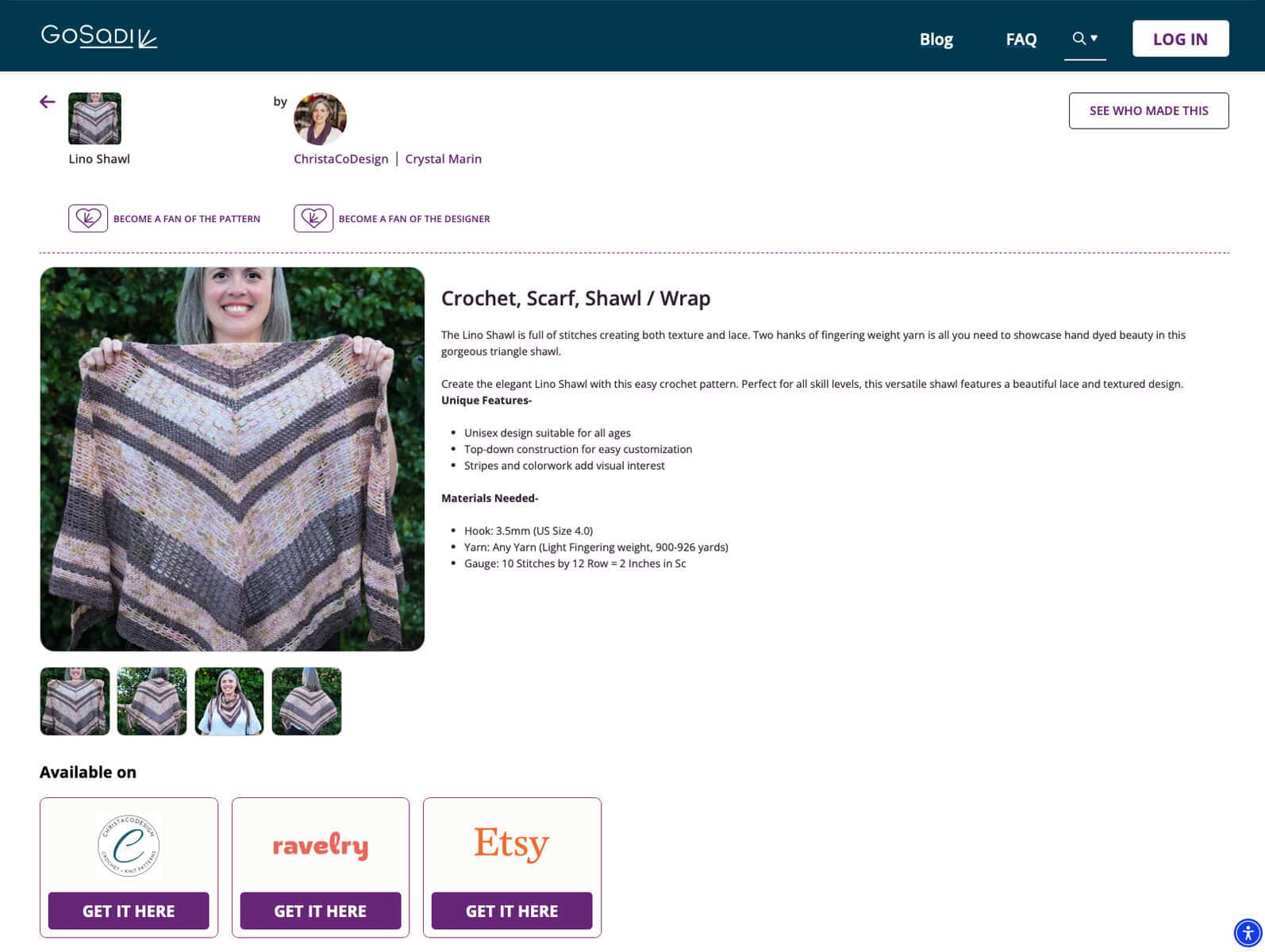
It means I can share one link with you for a pattern listing, and on that page it will show you all the places where you can buy the pattern. You simply scroll down and click over to your preferred shopping location.
It sounds simple, (and it is) but it’s so helpful! I can’t tell you how many times I’ve had people tell me they wish I sold on Etsy or Ravelry. And I always feel confused because I do! Which just tells me that they’ve come across a pattern listing in one of those places, but it’s not their preferred place to shop for patterns.
I love how GoSadi hosts all my pattern listing links in one place and you get to choose where to buy. You don’t have to sign in or sign up for anything (unless you want to).
GoSadi has also introduced a Makers version of the site with tons of cool features. I won’t go into those here (yet), because it’s a paid feature. But they are awesome and worth checking out.
Here are the simple steps to use GoSadi links from my emails! I also made a little video screen capture too.
Video
Watch the short video tutorial on my YouTub.e
Instructions
How To Use GoSadi Links
Shop in your favorite online pattern store with one stop shopping!
Materials
- Browser with internet access.
Tools
- Payment method.
Instructions
Here are the steps to using GoSadi. I'm assuming you're clicking an existing GoSadi link from my email which is where I share my new patterns and where you can buy them!
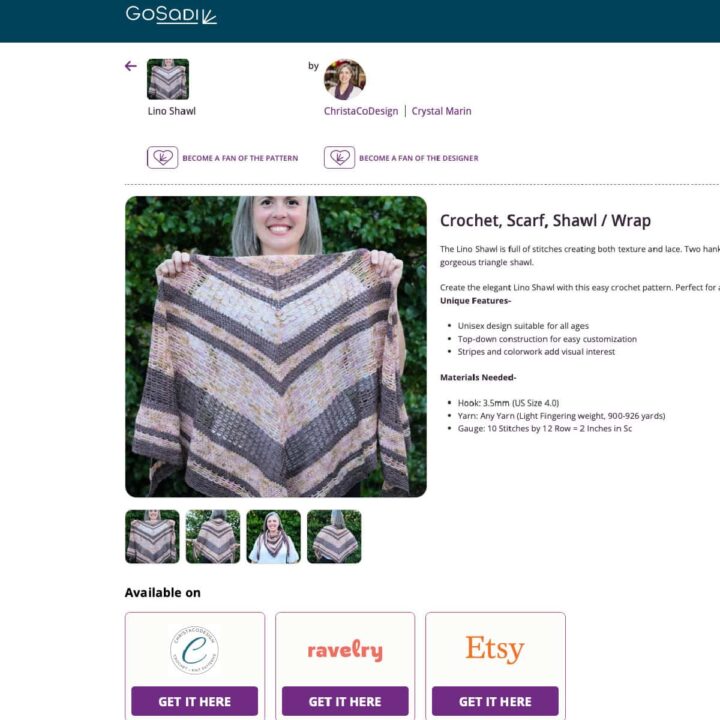
For this example I'm using the Lino Shawl crochet pattern.
Click the link to the pattern on GoSadi
https://gosadi.com/designer/christacodesign/lino-shawl
This brings you to the page for the Lino Shawl with some details about the pattern, pictures and where you can buy it.
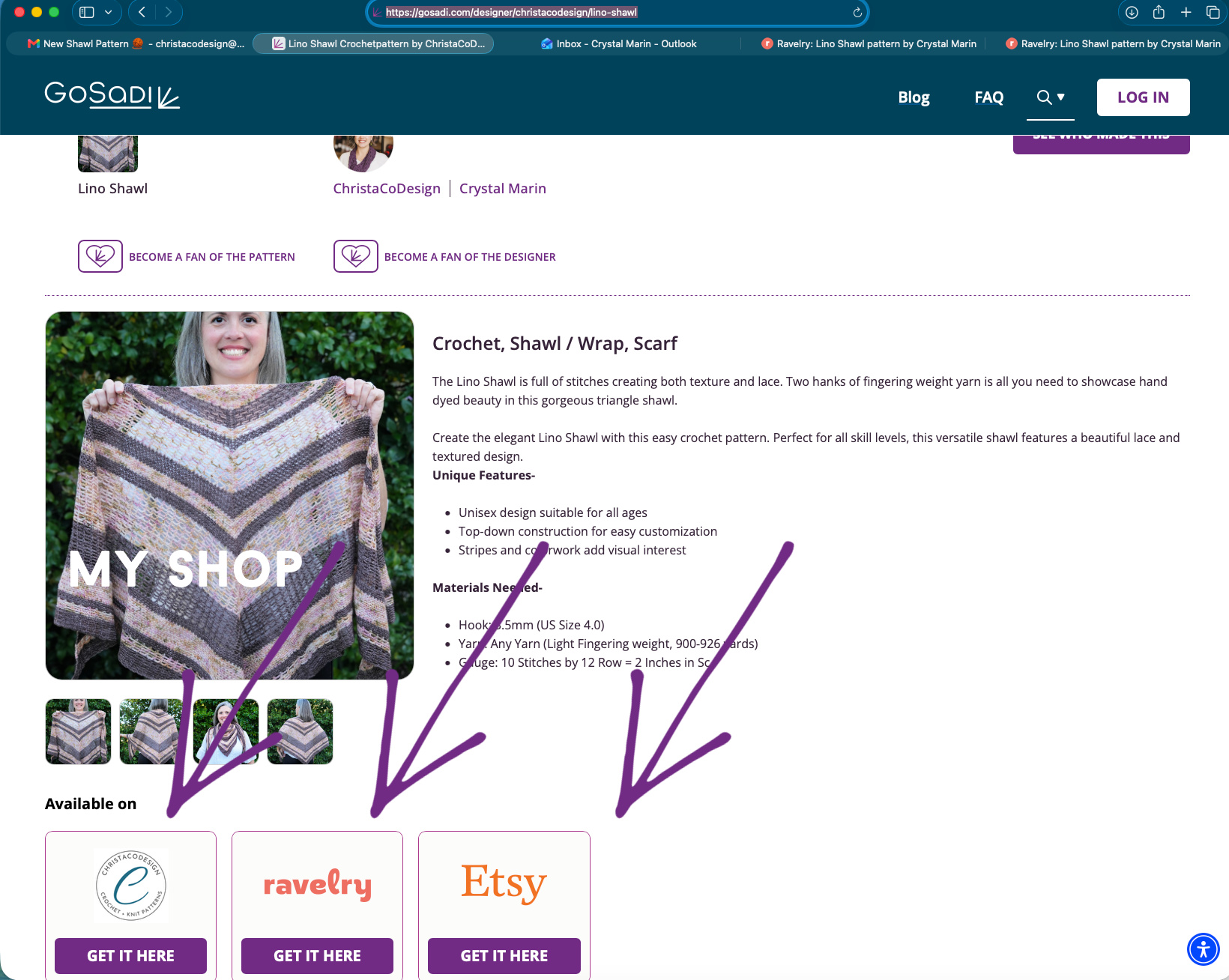
Scroll down to “Available On”
You will see 3 boxes–
one with my ChristaCoDesign Logo
one with Ravelry logo
one with Etsy logo
Click on any of these to buy the pattern where you prefer to buy it!